

Collated vs Uncollated: What’s the Difference and When Does It Matter?
If you’ve ever stood at a printer trying to figure out whether to select “collated” or “uncollated,” you’re not alone. The collated versus uncollated option confuses a lot of people — and making the wrong choice can mean spending extra time manually sorting dozens of pages. Let’s break it down in plain English so you never have to guess again.
What Does Collated Mean in Printing?
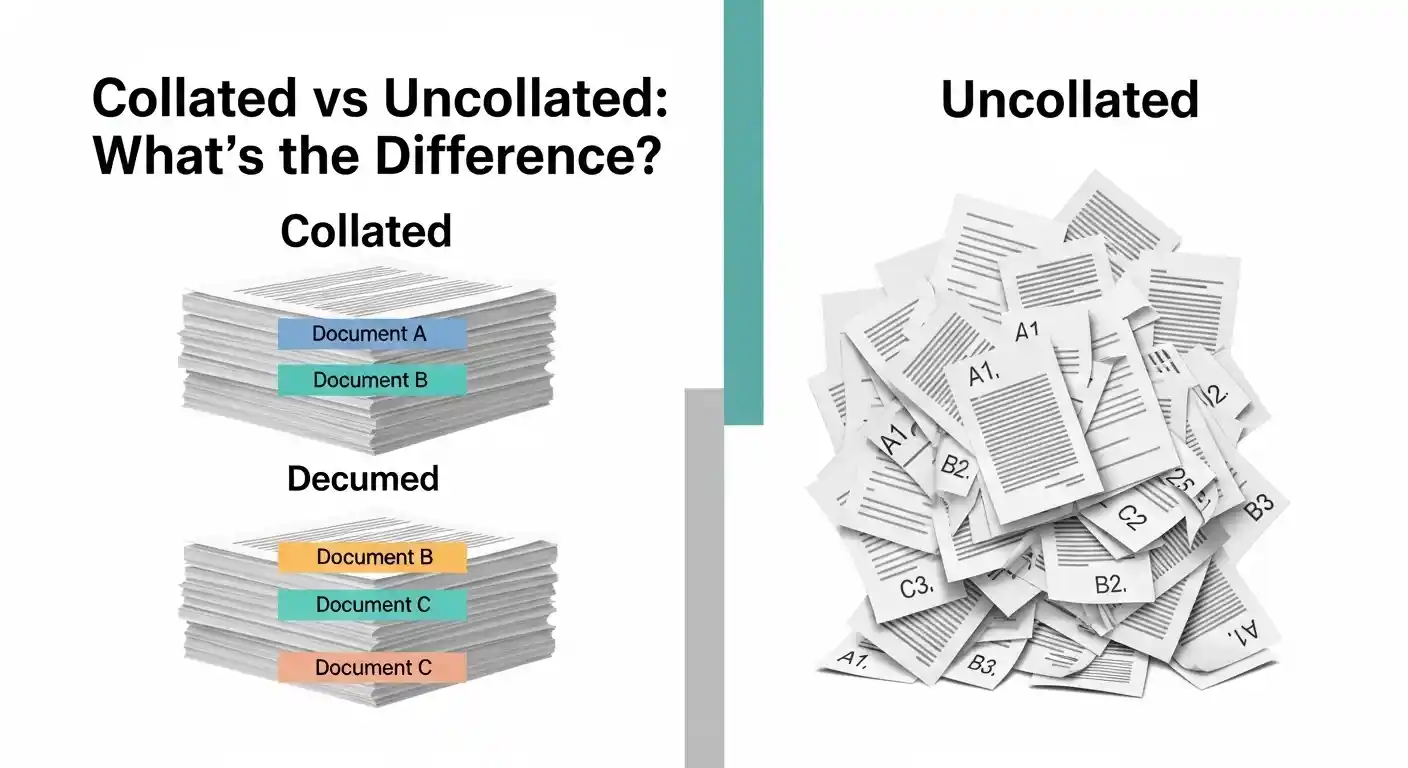
When you print a document collated, the printer outputs each complete set in order before starting the next one.
Say you’re printing a 5-page report and you need 3 copies. Collated printing gives you:
- Pages 1, 2, 3, 4, 5 — Copy 1
- Pages 1, 2, 3, 4, 5 — Copy 2
- Pages 1, 2, 3, 4, 5 — Copy 3
Each set comes out ready to go. You pick up three complete, ordered copies straight from the tray. No sorting needed.
This is the default setting on most modern printers, and for good reason. It saves time and reduces the chance of pages ending up in the wrong order.
What Does Uncollated Mean?
Uncollated printing does the opposite. Instead of completing one full set at a time, the printer outputs all copies of each page together.
Using the same example — 5 pages, 3 copies — uncollated gives you:
- Page 1, Page 1, Page 1
- Page 2, Page 2, Page 2
- Page 3, Page 3, Page 3
- Page 4, Page 4, Page 4
- Page 5, Page 5, Page 5
You end up with stacks of identical pages that you then have to manually assemble into complete sets. That sounds like extra work, and often it is — but there are specific situations where this approach actually makes more sense.
Charles Jeffrey Loverboy Clothing: Bold Fashion Guide
Collated Versus Uncollated: Which Should You Use?
The right choice really depends on what you’re printing and what you plan to do with the copies afterward.
When Collated Makes Sense
Collated is the better option in most everyday printing situations. Choose it when:
- You’re printing multi-page reports, presentations, or proposals that need to be distributed as complete sets
- You’re printing meeting handouts where each attendee gets their own copy
- You’re printing booklets, manuals, or any document where page order matters
- You want to skip the manual sorting step entirely
For office use, collated printing is almost always the right call. It’s efficient, organized, and ready to hand out the moment it comes off the printer.
When Uncollated Makes Sense
Uncollated has its place too, especially in printing environments where speed and volume matter more than immediate assembly.
Choose uncollated when:
- You need to staple or bind individual pages in bulk — for example, printing a single page flyer where all 50 copies come out together
- A professional print shop is handling finishing work and they prefer receiving stacks sorted by page
- You’re printing single-page documents and multiple copies (collated vs uncollated doesn’t matter here since there’s only one page)
- The printing equipment handles post-processing automatically and works faster with grouped pages
In commercial printing, uncollated output is sometimes preferred because finishing machines can sort and bind stacks faster than a printer cycling through full document sets repeatedly.
Pros and Cons
Collated Printing
Pros:
- Documents are ready to distribute immediately
- No manual sorting required
- Reduces errors — pages stay in order
- Saves time in most office scenarios
Cons:
- Slightly slower on some older printers (the printer has to process the full document repeatedly)
- Not ideal when a print shop needs to handle finishing in their own workflow
Uncollated Printing
Pros:
- Faster output on high-volume jobs in some cases
- Preferred by some commercial print finishing setups
- Easier to spot-check one page across all copies
Cons:
- Requires manual assembly into complete sets
- Higher risk of pages going missing or getting mixed up
- Time-consuming for large documents with many pages
Common Mistakes People Make
Printing a Long Document Uncollated by Accident
This is the most painful one. You hit print on a 20-page document, need 10 copies, and walk away. You come back to 200 individual pages with no clear order. Now you’re standing there for the next 20 minutes trying to sort them. Always double-check the collation setting before printing long documents.
Assuming Collated Is Always Selected
Most printers default to collated, but not all of them do. Some older machines or certain print drivers default to uncollated. It’s worth taking five seconds to confirm the setting each time, especially when using a new printer or a shared office machine.
Ignoring the Setting for Single-Page Jobs
For single-page documents, collated and uncollated produce identical results. Don’t overthink it — just hit print.
Confusing Collation with Duplex Printing
These are two completely separate settings. Duplex refers to printing on both sides of a page. Collation refers to the order copies come out. You can have collated duplex printing, uncollated duplex printing, and every other combination.
Best Practices for Printing Multiple Copies
Preview your print settings before every job. Most print dialogs show a preview of how copies will be ordered. Use it.
Label your document sets if you’re printing uncollated. If you know you’ll be assembling the pages manually, keep a page count visible so you can verify each set is complete.
Use collated printing for client-facing documents. Reports, proposals, contracts — anything going to a client or external audience should always be collated and properly ordered.
Test with one copy first on large jobs. Before printing 50 copies of a multi-page document, print one to confirm the layout, margins, and collation are all correct.
Communicate with your print shop. If you’re sending a file to a commercial printer, ask them which format they prefer. Some want collated PDFs; others prefer uncollated files split by page. Getting this right upfront saves reprinting costs.
Conclusion
The difference between collated and uncollated printing is simple once you see it clearly. Collated means each complete set comes out in order, ready to use. Uncollated means all copies of each page are grouped together, requiring manual assembly afterward.
For most people printing in an office or home setting, collated is almost always the right choice. It saves time, keeps pages in order, and removes the headache of sorting. Uncollated has genuine value in high-volume commercial printing workflows where finishing equipment takes over — but for everyday use, stick with collated and move on.
Next time you see that checkbox in your print dialog, you’ll know exactly what to pick.
Frequently Asked Questions
1. What does “collated” mean when printing?
Collated printing outputs each full copy of a document in page order before starting the next copy. If you print 3 copies of a 4-page document, you get three complete sets in sequence.
2. Is collated or uncollated better for office printing?
Collated is almost always better for office use. It keeps documents in order and ready to distribute without any manual sorting.
3. Why would anyone choose uncollated printing?
Uncollated is useful in commercial print environments where finishing machines process stacks of identical pages faster than sorting full document sets. It’s also useful for single-page bulk printing.
4. Does collated printing take longer?
On some older printers, yes — collated printing can be slightly slower because the printer processes the full document for each copy. Modern printers handle this efficiently, so the difference is usually negligible.
5. Does the collated setting matter for single-page documents?
No. If you’re only printing one page per copy, collated and uncollated produce identical results. The setting only makes a difference with multi-page documents.
